New Zealand Passport Photo: requirements
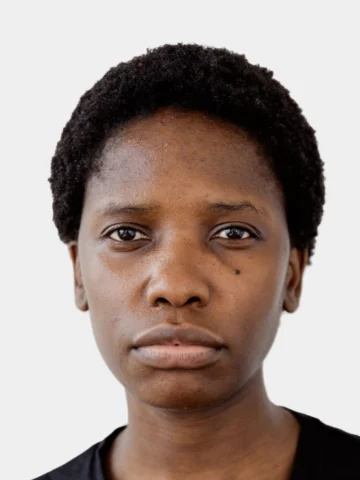
| Photo size | 900×1200 px |
|---|---|
| Head height (chin to top of head) | 28–32 mm |
| Background | Plain light grey or white |
| Glasses | Allowed without glare or tint |
| Digital file | 900×1200 px JPEG, ≥250 KB, ≤5 MB |
| Printable | Digital submission only |
Source: official guidance, checked November 7, 2026. Some values could not be confirmed with the authority; check the official page before you submit.
How we applied the rules: Digital only (900×1200 px or larger, 250 KB–5 MB, plain light background) is official. No print or head size is stated; head 28–32 mm is 70–80 % of a 3:4 frame.
How to make your New Zealand passport photo
- Stand facing a window, half a metre in front of a plain wall.
- Have someone take the photo at eye level from about 1.5 m, or use the self-timer. The live guide tells you what to adjust.
- IDpose crops to 28–32 mm head height, straightens the head, fixes the light and sets a light grey or white background.
- Check the result for free, then download the digital file and print sheet.
Common reasons this photo is rejected
- Head too large: phone selfies are usually taken too close.
- Shadows on the face or behind the head.
- Background not plain enough: off-white walls show up grey.
- Glare on glasses or tinted lenses.
- Smiling, mouth open, or not looking straight at the camera.
Questions
What size is a New Zealand passport photo?
JPEG, 900×1200 pixels, ≥250 KB, ≤5 MB. IDpose sizes and compresses the file to fit.
What background colour is required?
Plain light grey or white, evenly lit, with no shadows or patterns. IDpose replaces the background on your device.
Can I wear glasses?
Yes, if the frames do not cover your eyes and there is no glare or tint. Taking them off is safer.
Can I take it myself?
You can take this photo yourself and submit it.
How much does it cost?
Taking the photo, the compliance check and the preview are free. You pay once to download the full-resolution digital file and print sheet, with no subscription.